
See how a run reached its result
Follow the workflow’s path, inspect each step’s result and open the agent session behind it. A review stays pending through a restart.
Dashboard and traces ↗Set up agents and workflows yourself in one simple web interface, with no engineers or code required. Assign multi-step work from the web interface or a connected channel, wherever you are, then follow each run through its steps, approvals and results. You set the permissions; Kautuka keeps the work visible.
Install on Linux
curl -fsSL https://github.com/devkrity/kautuka/releases/latest/download/kautuka-install-linux.sh | sudo bashLinux install guide · or download the tarball
Kautuka runs on Windows and Linux computers.
Open source, Apache-2.0 · Read the source on GitHub ↗ · See it ask first ↓
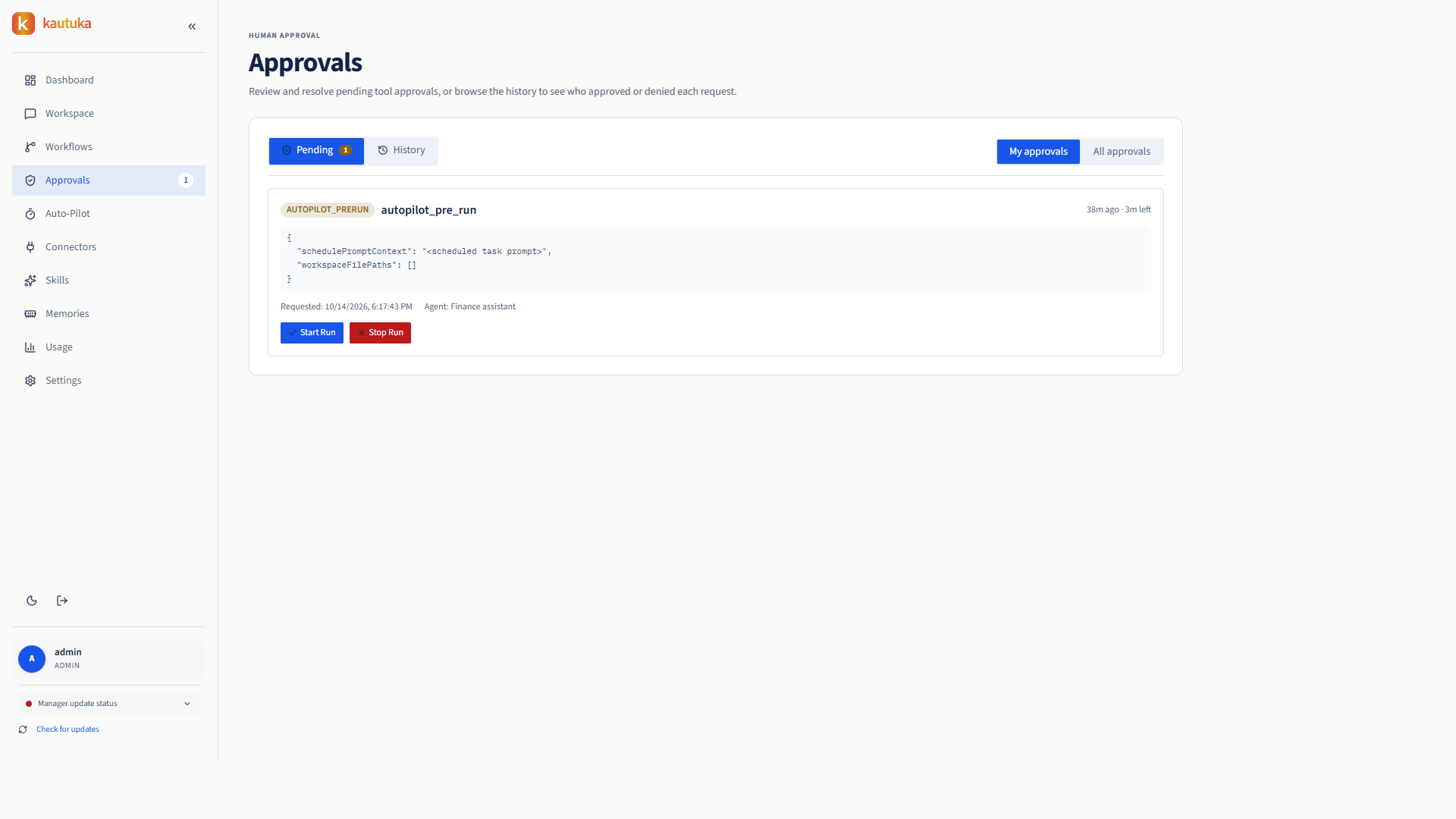
One ordinary week, from a Monday request to a Tuesday yes.
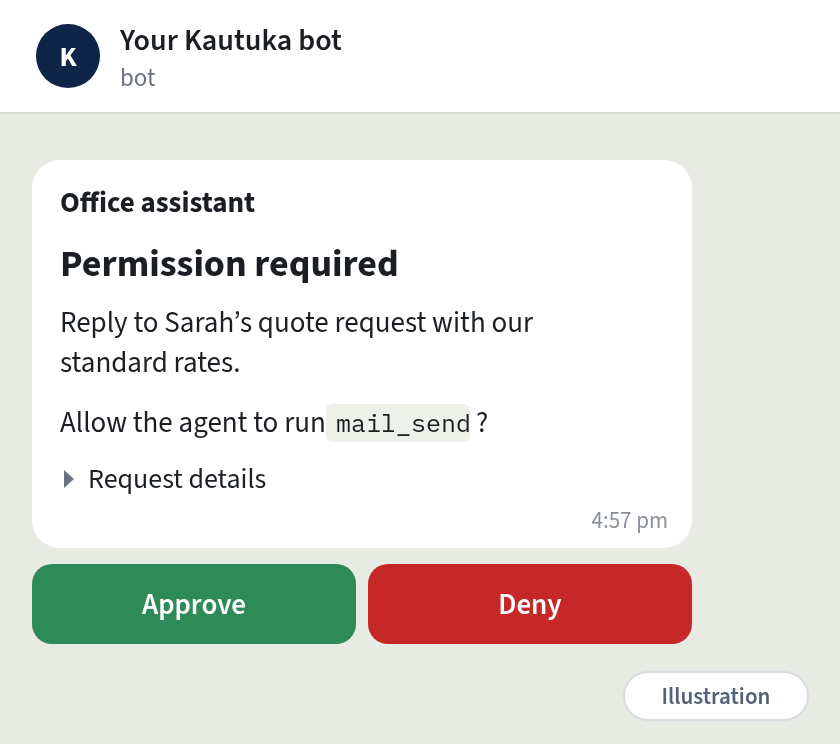
mail_send.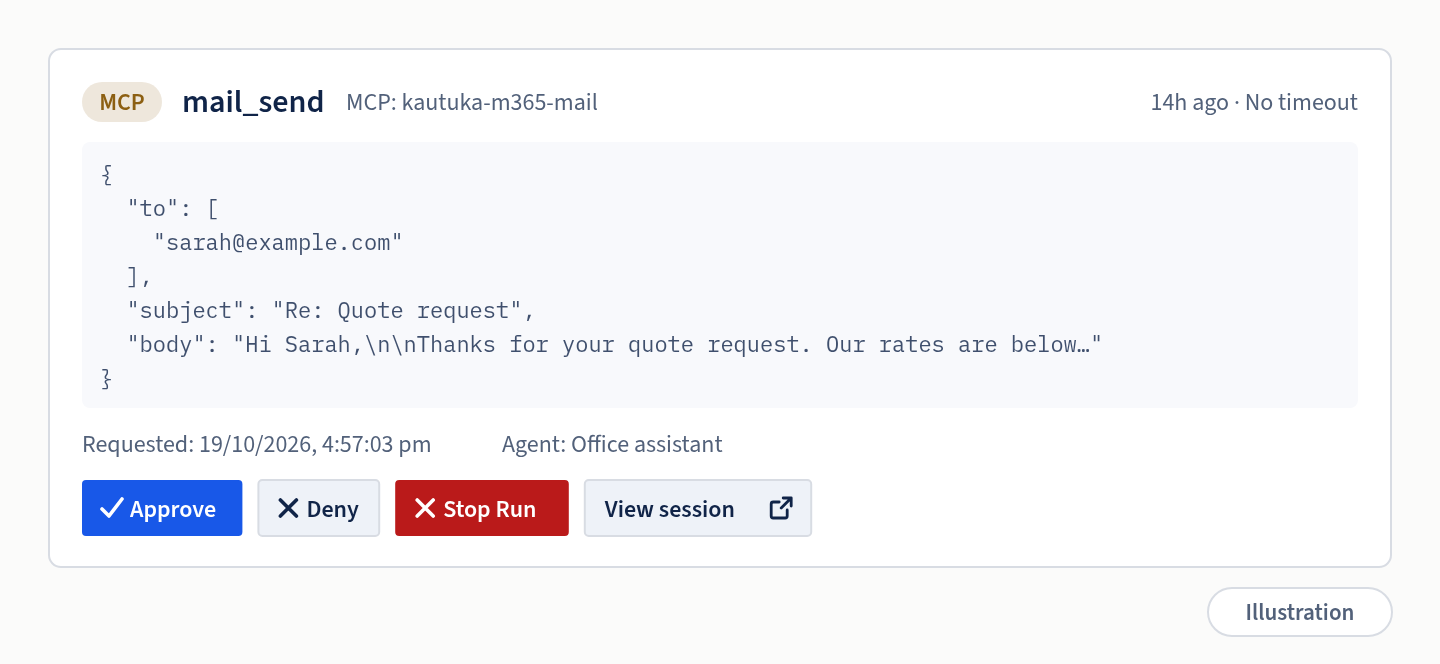
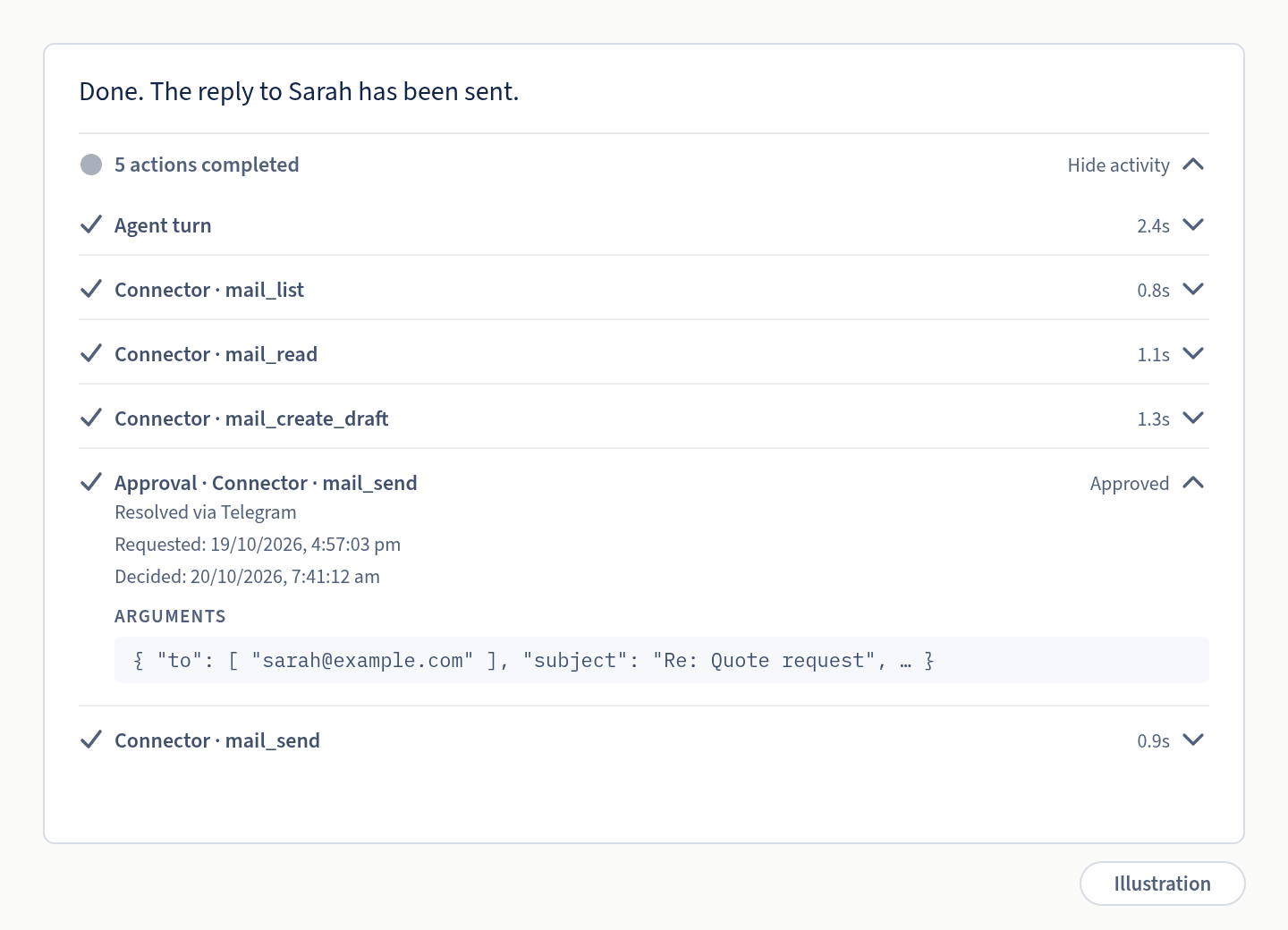
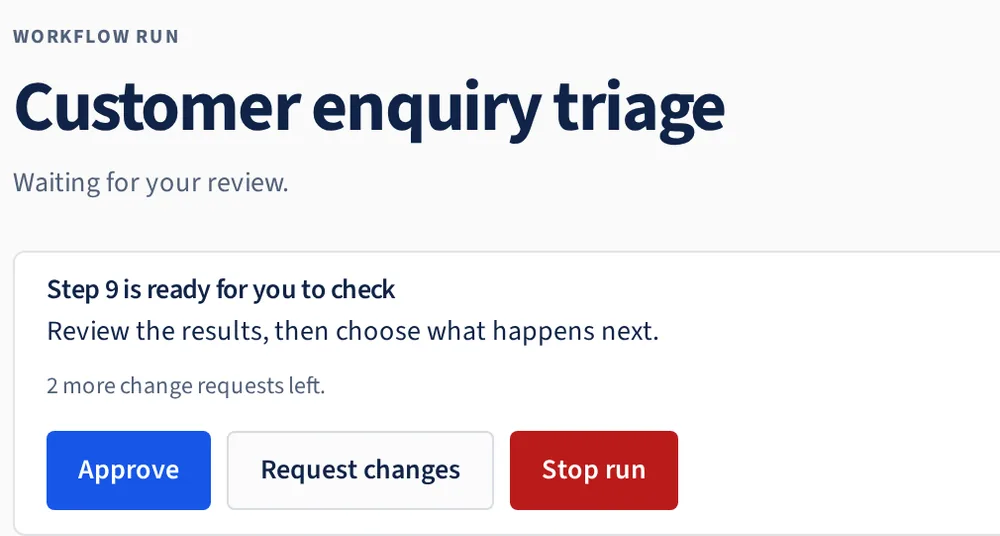
The agent does the work. You keep the decision. A restart never turns a “maybe” into a “yes”.
Follow the workflow’s path, inspect each step’s result and open the agent session behind it. A review stays pending through a restart.
Dashboard and traces ↗Set actions to Ask or mark workflow steps for review. Kautuka pauses there; approve, request changes or stop the run.
Approval behaviour and limits ↗The admin sets up model providers and the models the team can use. Team members can create agents and workflows; admins can share agents with others.
Agents run in Gateway memory. Shell commands, skill scripts and local connectors run in their own rootless Podman containers with limited access to your computer. Model keys stay outside those containers.
How the security boundaries work ↗Install Kautuka on one computer and add team members. They can sign in through a browser on your network to create agents and workflows, without writing code.
Connect your own Ollama server for local models, or bring your API key for a cloud model provider. OpenRouter and other OpenAI-compatible APIs are supported. Not sure what to choose? Kautuka walks you through connecting a model. No Devkrity account needed.
Share agents with your team while keeping each person’s files and memory separate.
Kautuka keeps agent files in its own protected storage, separate from your usual files. Connect a cloud model or one running on your own computer. How it’s built ↗
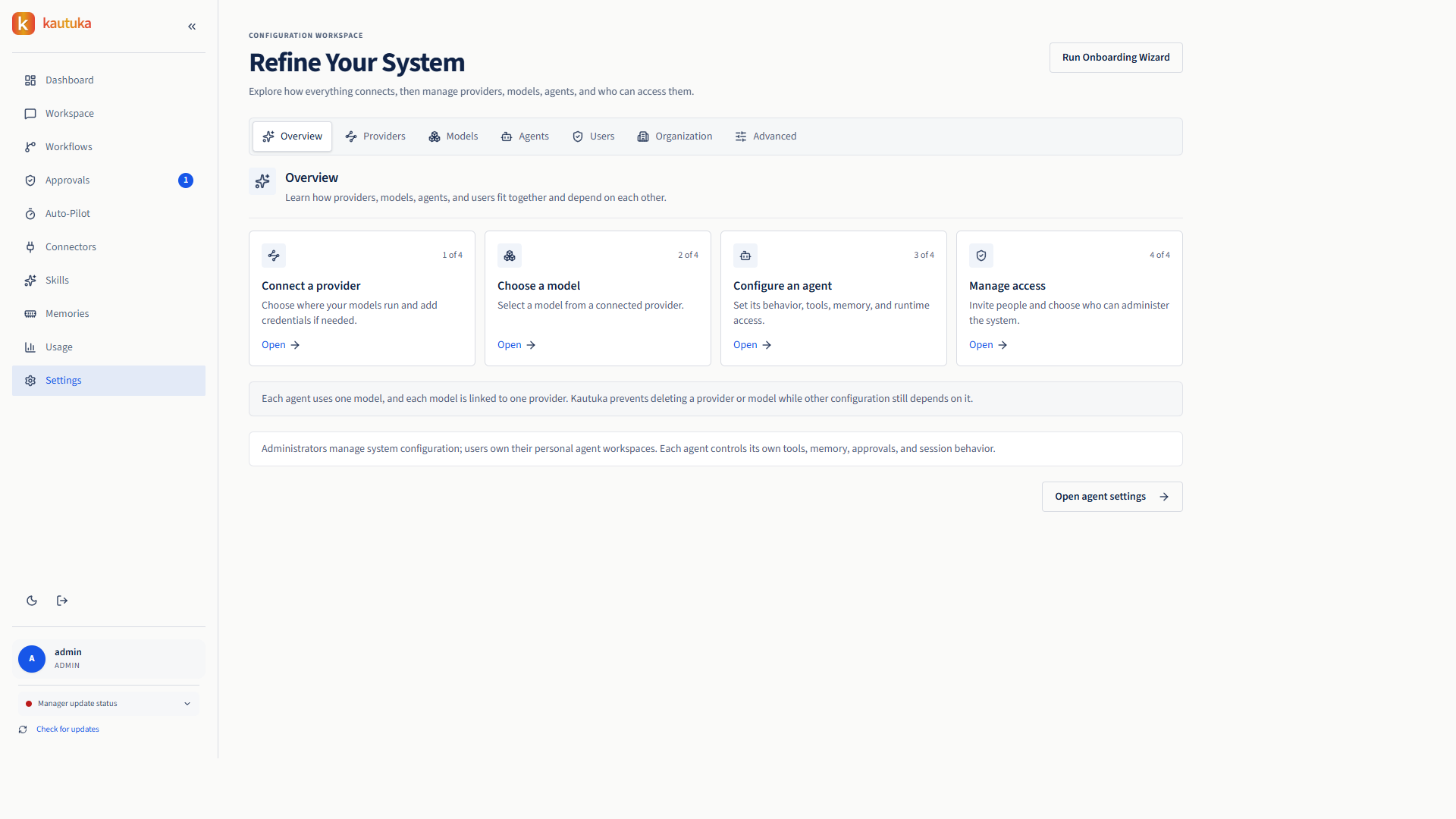
Share useful agents while keeping each family member’s interactions and files private. Each agent’s owner chooses what it can access and which actions need approval; the run history shows what happened.
How shared access works ↗Built-in Google and Microsoft mail connectors list, search and read mail, handle attachments, draft and send. Set sending to Ask and nothing leaves without you.
Turn a job you do every week into a workflow. Choose who does each step, add checks, and pick the steps that wait for your OK.
See how workflows work ↓Give tasks and answer approvals on Telegram or Slack, or in the browser.
Providers, mail and channels ↗Some work is more than one task. Lay it out once on a canvas in your browser, and Kautuka runs it the same way every time.
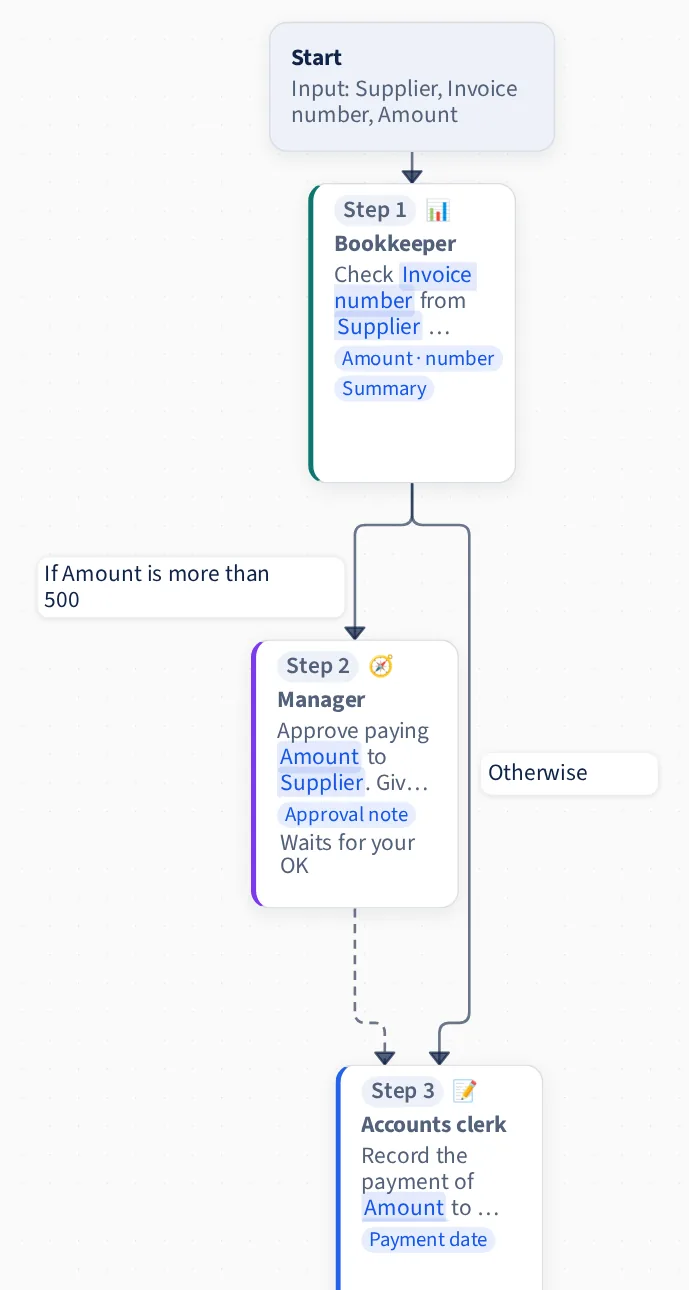
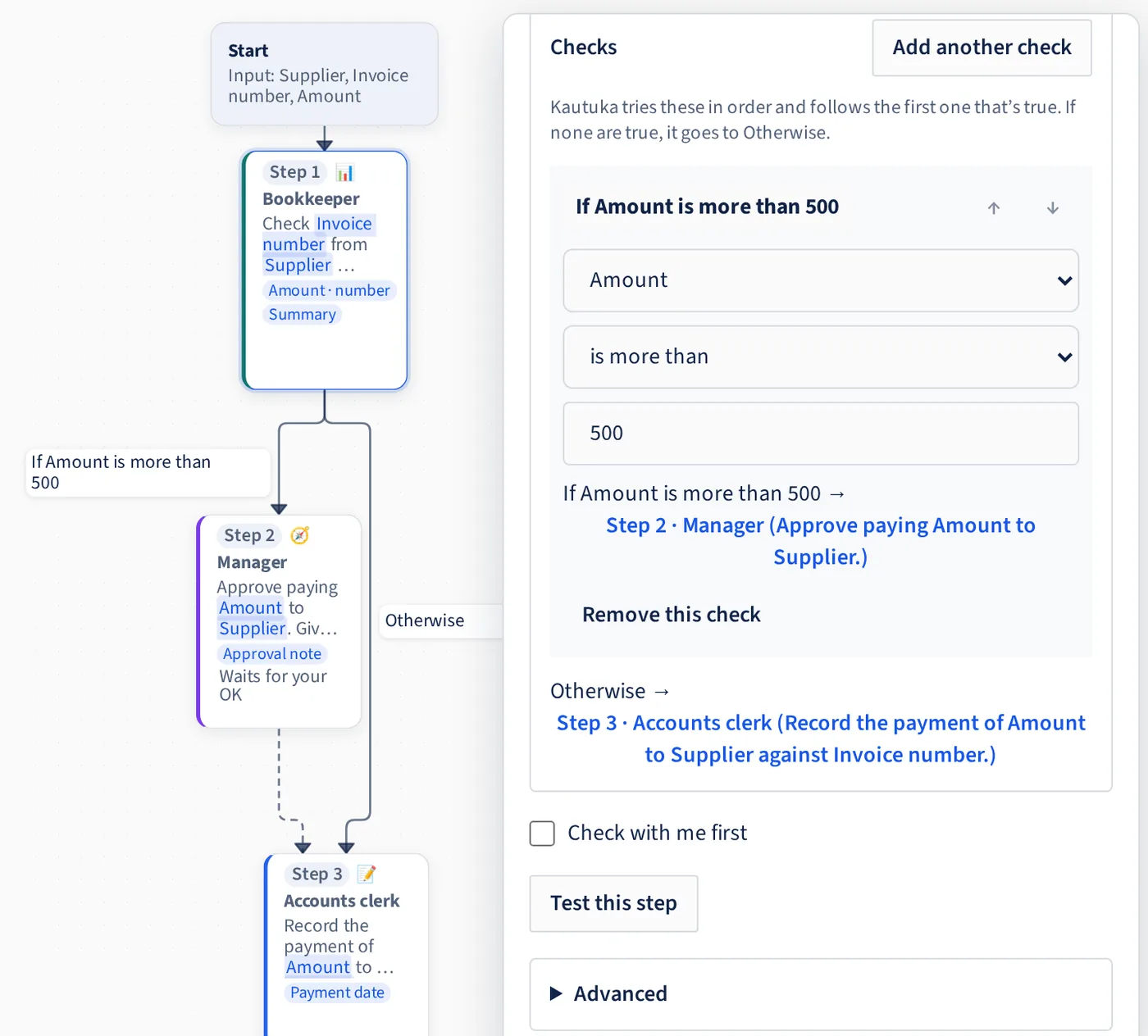
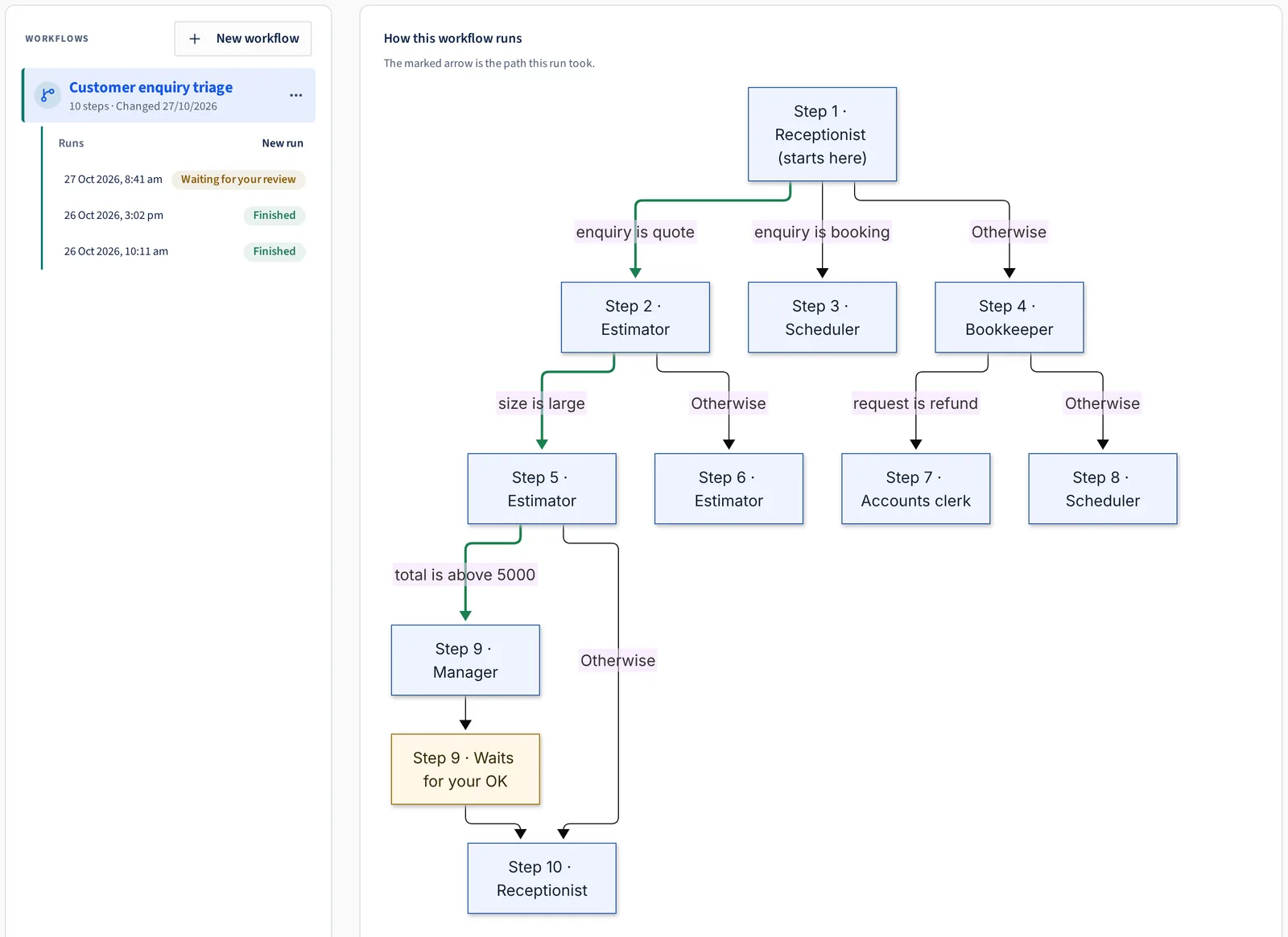
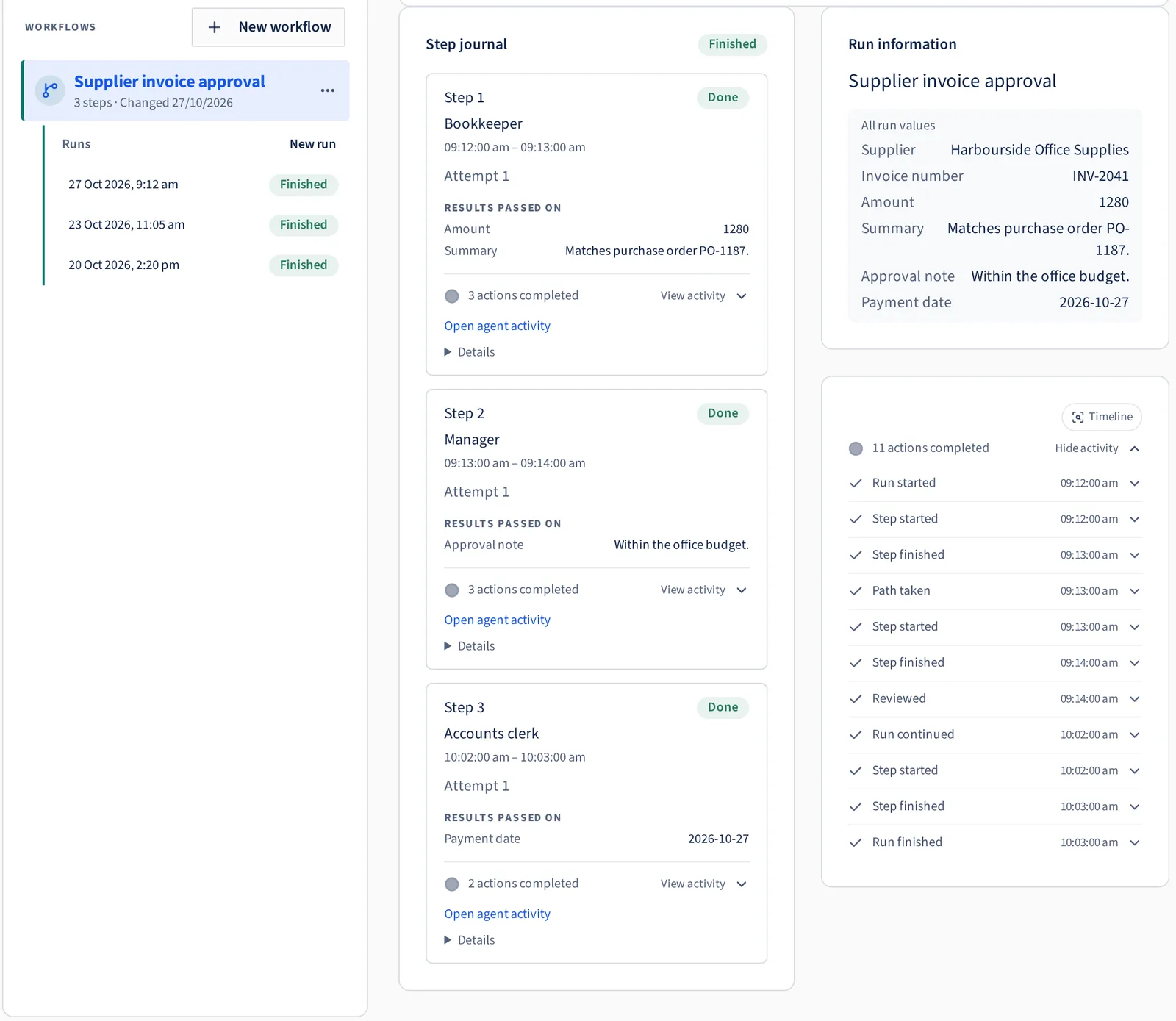
Run it when you need it, or put it on a schedule. Workflow guide ↗
The small stuff that makes it easy to live with.
If an update fails, Kautuka goes back to the previous version by itself.
Approvals wait for you by default. If the admin sets a time limit and nobody answers, the action is cancelled, not carried out.
You loosen it only if you choose.
Agents can’t run computer commands until you switch it on.
Your Telegram bot only takes instructions from your own private chat.
The admin switches off their account and they’re signed out straight away, with nothing deleted.
| Question | Cloud agent platforms | Developer frameworks | Self-run assistants | Kautuka |
|---|---|---|---|---|
| Do you need to write code? | Sometimes | Yes | Usually some setup | No. Set up in the browser |
| Where does it run? | Provider’s cloud | In your application | On your hardware | Your own sandboxed environment on your Windows or Linux machine |
| Where do an agent’s commands and scripts run? | The platform decides | You build it | Varies | In a locked-down rootless Podman container |
| Can an agent run commands outside its sandbox? | The platform decides | You build it | Varies | No. With the sandbox off, it gets no shell or skills |
| Do local connectors get their own container? | Not applicable | You build it | Varies | Yes, by default |
| Where do agent files live? | Varies | Varies | Varies | In Kautuka’s protected storage, not your normal folders |
| Who approves risky actions? | Platform controls | You implement controls | Varies | You, on Telegram, Slack or the browser |
| Does a pending approval survive a restart? | Varies | You build it | Varies | Yes, including workflow reviews |
| Can a repeatable job wait for a person at a step you choose? | Varies | You build it | Varies | Yes. Tick “Check with me first” on any step |
| Who picks the next step in a workflow? | Varies | You build it | Varies | Rules you set on each step’s results, not the model |
| Can you read the record? | Platform’s format | You build logging | Varies | Yes, open format (Narad Protocol, MIT) |
Columns describe typical products in each category as of October 2026. Individual products vary.
Agents run in Gateway memory. Shell commands, skill scripts and local connectors run in isolated containers. Anything set to Ask waits for your decision.
Your computer
You open Kautuka in your browser at localhost:20229.
Other devices can reach it only if you allow your home network.
Its own Linux distro in WSL 2
Kautuka appliance
The same on Windows and Linux.
Each service runs under its own system account.
Control panel and API, on localhost by default.
Runs every agent and workflow, and makes the model calls.
Run in memory inside the Gateway, not in a container.
Ask for each action as a tool call.
No shell or file access of their own.
Actions set to Ask wait for your answer.
Nothing runs until you approve.
Workflow steps you mark wait for your OK too.
×2
Holds your keys in a separate service.
Model keys never enter a container.
A connector or skill gets only the keys it’s set up to use.
Kautuka stores the history in Narad Protocol’s open event format.
On Linux, the appliance runs directly on your system.
Called by the Gateway over HTTPS.
Nothing installed on your computer.
No claws, just a band. A kautuka is the protective thread tied around the wrist at the start of something new. That’s the idea here: your agents get to work, and the thread keeps them safe and answerable to you.
Yes. Containers have network access so agents can do online work. The container limits what they can touch on your machine, not where they can go online.
Kautuka’s credentials service encrypts them and stores them separately. Model API keys never enter a container. A connector’s own sign-in goes only to that connector, when it needs it.
Whatever its request needs. To keep prompts on your machine, use Ollama locally.
Shell commands, skill scripts and local connectors always run in one. Skills run in the agent’s sandbox, never on the host. Each connector that runs on your machine gets its own container by default. Remote connectors run on the provider’s side, not on your machine.
In Kautuka’s protected storage, not in your normal folders. You decide whether each local connector can see the agent’s files.
No. You build it on a canvas in your browser: choose who does each step, say what they should do, and add checks. Build and edit on a computer. On a phone you can view a workflow and answer its reviews.
No. Only the steps you mark “Check with me first” wait for your OK. Anything an agent does that’s set to Ask still asks, inside a workflow or not.
The run keeps waiting, even through a restart. Reviews don’t wait forever, though. If one runs out of time unanswered, the run stops rather than carrying on.
Kautuka is open source under Apache-2.0; read the source on GitHub. Run records use Narad Protocol, MIT-licensed and on npm as @devkrity/narad, which we extracted from Kautuka. No Devkrity or Kautuka account or online registration is required. By default, operational telemetry stays on your appliance; Kautuka sends no usage data to Devkrity. Built by Devkrity in Australia.
Kautuka (कौतुक), Sanskrit for wonder, and the protective thread tied at the start of something new.
Current stable release
Install on Linux
curl -fsSL https://github.com/devkrity/kautuka/releases/latest/download/kautuka-install-linux.sh | sudo bashLinux install guide · or download the tarball
Kautuka runs on Windows and Linux computers.